September salaries
Dear Ms Favre, Just to confirm: the September salaries were paid correctly and everyone is happy. No action needed. Thanks, Sarah Weber

Meow builds private AI for businesses that can't let their data out, and chooses each model by testing it first. This is one such test, in full: pick an email and compare what each model answered with the answer checked by hand.
September salaries
Dear Ms Favre, Just to confirm: the September salaries were paid correctly and everyone is happy. No action needed. Thanks, Sarah Weber
| Checked by hand | 0.6Bin a browser | 1.7Bin a browser | 8Bin a browser | 32Bone server GPU | 32B + rulessame GPU | |
|---|---|---|---|---|---|---|
| Topics | Salary | Wrong: Salary, Accounting | Right: Salary | Right: Salary | Right: Salary | Right: Salary |
| Urgency | Low | Wrong: Normal | Right: Low | Right: Low | Right: Low | Right: Low |
| Deadline | None | Right: none | Wrong: current | Right: none | Right: none | Right: none |
Added up over the 20 emails, in each language. 0.6B, 1.7B and 8B ran in a browser on an Apple M1 laptop; 32B ran on one server graphics card, the size of model a private deployment serves to a whole team. All four got exactly the same instructions.
AcademyWhether a model fits on a GPUAcademyHow to read model scores
| 0.6B | 1.7B | 8B | 32B | |
|---|---|---|---|---|
| Deadline | 19 | 14 | 18 | 15 |
| Topics | 11 | 12 | 10 | 11 |
| Urgency | 9 | 11 | 11 | 11 |
| All three right | 6 | 3 | 5 | 3 |
| Time per emailMedian | 1.3 s | 2.4 s | 6.6 s | 1.5 s |
| 0.6B | 1.7B | 8B | 32B | |
|---|---|---|---|---|
| Deadline | 12 | 12 | 20 | 19 |
| Topics | 1 | 2 | 9 | 8 |
| Urgency | 5 | 9 | 14 | 12 |
| All three right | 0 | 0 | 5 | 3 |
| Time per emailMedian | 1.5 s | 3.0 s | 6.7 s | 1.7 s |
| 0.6B | 1.7B | 8B | 32B | |
|---|---|---|---|---|
| Deadline | 13 | 12 | 20 | 18 |
| Topics | 3 | 7 | 4 | 6 |
| Urgency | 9 | 14 | 10 | 10 |
| All three right | 1 | 4 | 3 | 2 |
| Time per emailMedian | 1.5 s | 3.1 s | 7.4 s | 1.6 s |
| Same instructions | Rules written in | |
|---|---|---|
| Deadline | 15 | 20 |
| Topics | 11 | 10 |
| Urgency | 11 | 19 |
| All three right | 3 | 9 |
| Same instructions | Rules written in | |
|---|---|---|
| Deadline | 19 | 20 |
| Topics | 8 | 6 |
| Urgency | 12 | 19 |
| All three right | 3 | 6 |
| Same instructions | Rules written in | |
|---|---|---|
| Deadline | 18 | 20 |
| Topics | 6 | 7 |
| Urgency | 10 | 20 |
| All three right | 2 | 7 |
Rules: urgency is high when the client says it is urgent or a penalty or loss is imminent, low when the email is information only with nothing to do, and normal for any other request. The deadline is the date the client gives for the fiduciary to act, or none. The topics are every topic the email asks about.
With the rules written in, the same 32B model went from 3 to 9 emails of 20 with all three right in English. What remains is judgement on topics: the next step is examples from your own emails, checked with the same test.
Book a free 15‑minute callStackive In daily use
Stackive is the platform built in-house to run the company: email, invoicing and deployments go through it, each in a service of its own, with one agent layer that works across them.
Its agents read what a task needs and prepare the work. Anything that sends an email, issues an invoice or deploys code waits for a person on the team to approve it, and every step is recorded. The rough edges show up here first, before the same kind of agents are set up for you.
Every entry names who acted, an agent or a person, and nothing leaves until a person has said yes.
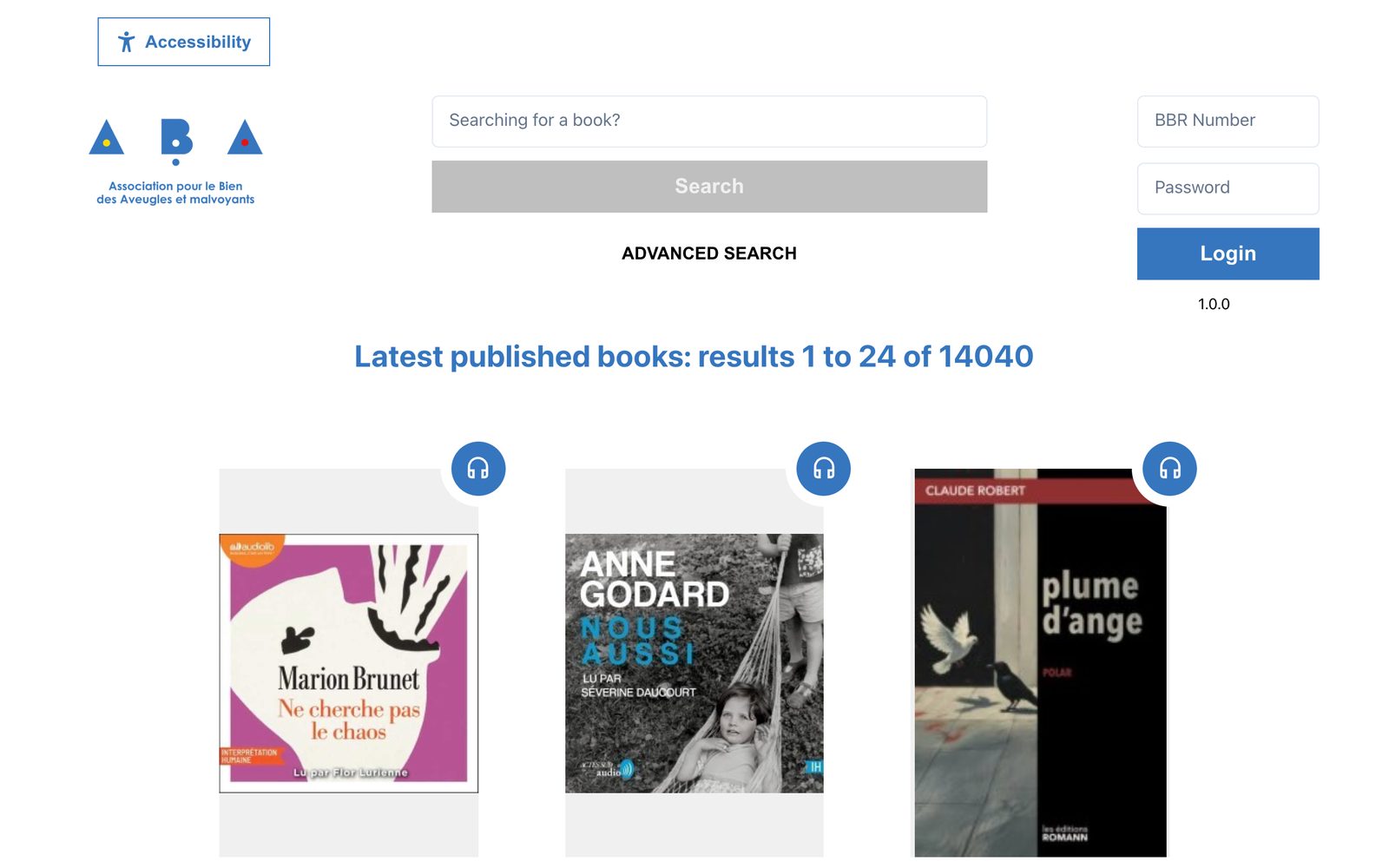
Web Player Web app, 2023
The Bibliothèque Braille Romande's catalogue as a web app: more than 14,000 audiobooks to search, listen to online or download, with a member login and help pages on braille and DAISY books.
Built for the keyboard and screen readers first: skip links to every part of the page, and the expected screen-reader behaviour written down as testable rules, checked by automated tests with Playwright and Axe. Its audiobook player and accessibility toolbar are published as open-source packages.
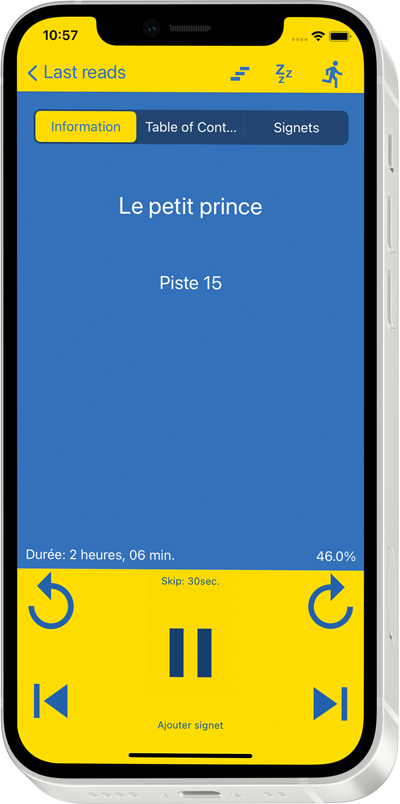
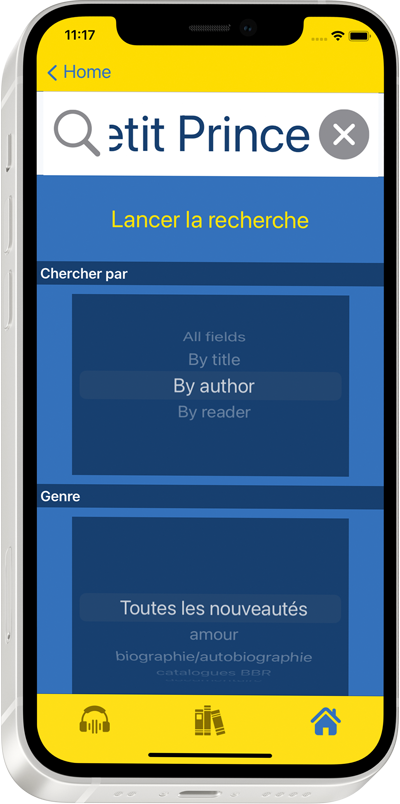
BBR Player™ iOS / Android
The Bibliothèque Braille Romande's audiobook apps for iOS and Android started from an open-source codebase by the BSR in Lausanne. The code was refactored and the features its members asked for were added, following W3C accessibility guidelines and working with blind and partially sighted readers throughout.
After release, the apps received a distinction from the Swiss Federal Office of Culture.
Pick a time that suits you: the invite reaches your inbox right away. If the time no longer works on our side, you hear from us the same working day.
What AI should do for you, and what it must never see.
Which tasks can run privately, roughly what it costs, and what should stay human.
A workshop, a test on your own documents, or nothing yet.
Tell us what you'd like AI to do, and what it must never see. We'll tell you honestly what's possible, what it costs and what should stay human. No details yet? A hello is enough.